The fact that computer generations are becoming increasingly powerful has an interesting side effect: it makes it possible for a modern computer to completely simulate an old computer, including special hardware. This is known as emulating the old computer. The associated software is called an emulator.
This special feature looks at a selection of the emulators available for Fedora.
Source
A few emulators are already available in Fedora Extras or in the Freshrpms repository. However, the real cream of the crop can be found in the rather unknown Dribble repository. With a small adjustment, the new repository is made known to yum:
rpm -ivh http://dribble.org.uk/repo/dribble-release-5-1.noarch.rpm
First of all, you should create an emulator menu in the Gnome taskbar:
yum install dribble-menus
There you will find all the emulators that you have installed from Dribble.
That was just the preparation. Before I introduce the emulators, I would like to mention a small catch to the matter.
Where to get the firmware from?
An emulator basically only provides virtual hardware, which is only half the battle. Every computer needs firmware or an operating system, and this also applies to emulators, which usually require a copy of the original ROM. Here, however, the manufacturer usually still asserts their copyrights, meaning that you cannot simply distribute them together with the emulator.
If you are lucky, the manufacturer has since allowed non-commercial use. In Fedora, the firmware still cannot be included, as the distribution strictly uses only free, open-source software. However, repositories like Dribble offer the firmware where possible. As mentioned, this is legal, as the manufacturer has released the firmware for non-commercial purposes.
If this is not the case, there is really only one legal way: you must own the original device to be emulated yourself. Then you are allowed to read out the firmware or the operating system and use it on the emulator, as long as the original device remains in your possession (and strictly speaking, is not switched on in the meantime). Often, however, there is also the option of purchasing the required files. A certain residual risk then remains, because you do not know if and how stably the emulator will ultimately work with the original files.
A third, somewhat unusual option is that the firmware has been reprogrammed open-source. This is the case, for example, with the Atari ST emulator, which is why it can also be found in Fedora Extras.
You should, however, refrain from using pirated copies. Emulators are viewed with suspicion by many manufacturers and are tolerated rather than liked. If they get the impression that their rights are being infringed by this, the peace could quickly be over.
But enough theory for now! Let’s take a closer look at a few emulators.
Apple Macintosh
The first emulator is already a treat. With SheepShaver you can emulate an Apple Macintosh. MacOS 7.5.2 to 9.0.4 are supported, but not MacOS X. It can be installed from Freshrpms via
yum --enablerepo=freshrpms install SheepShaver
Anyone who still owns a real Mac Classic can now use its operating system for SheepShaver. It might even be possible to install and use the original’s hard drive in the Linux PC. However, there is also the option of downloading and installing the installation files for MacOS 7.5.3 for free from Apple. The question is how much you can still do with it, as MacOS 7.5.3 is already quite dated.
The name SheepShaver is, by the way, a spoof of ShapeShifter, the first software Mac emulator for the Amiga.
Amiga
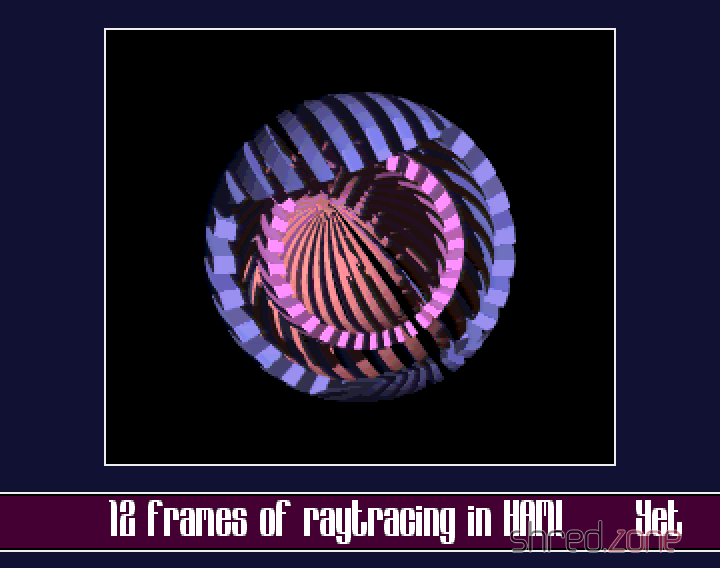
UAE is installed from the Dribble repository via:
yum install e-uae
Again, the operating system is missing, the so-called Kickstart ROM. Anyone who owns an Amiga can generate a Kickstart file themselves using software from the Aminet. Another option is to get a commercial Amiga emulator that contains the Kickstart file. Mostly, however, you can also find the coveted file on Amiga game collections for the PC, which are available in many software shops. The collections are cheaper and also bring “fodder” for the emulator with them.
Atari ST
Even for the former arch-rival of the Amiga, the Atari ST, there is an emulator. It is called hatari and is even available in the Fedora Extras repository:
yum install hatari
The open-source EmuTOS is used as the operating system here. This makes hatari truly 100% Open Source.
Commodore C64 and its siblings
A whole army of emulators is brought by vice, from the C64 and C128 up to very old treasures like the Commodore PET. Vice is installed from the Dribble repository via:
yum install vice
Unfortunately, there seems to be a problem with the sound; at least I always get an error message that alsa cannot be accessed. This is tragic, especially with the C64 and its legendary SID synthesiser chip.
ZX Spectrum
Even though the C64 was undoubtedly the most popular home computer of the 1980s, there were alternatives. One was the Sinclair ZX Spectrum. Of course, there is also an emulator for this, called FUSE (Free Unix Spectrum Emulator). The emulator itself is in the Extras repository, but without the necessary ROM files. These can be installed additionally from the Dribble repository. The following line installs the complete emulator with ROMs and various tools:
yum install fuse-emulator fuse-emulator-roms fuse-emulator-utils
Various models such as the ZX Spectrum 48k, the ZX Spectrum 128k, or the identically constructed devices from Timex and Pentagon are emulated.
MAME
A true specialist among emulators is MAME, the Multiple Arcade Machine Emulator. The purpose of this software is to emulate arcade computers. Not exactly an easy task, because very often the hardware of the device was tailor-made for the game.
The emulator is in the Freshrpms repository and is installed as follows:
yum --enablerepo=freshrpms install gxmame xmame xmame-roms
To be able to play with MAME, you need the ROMs of the original systems. These are quite difficult to obtain legally, because actually you have to own the system (or at least its ROM chips) to do so. At least three games, whose ROMs were released by the owners, are installed along with the xmame-roms package.
Other Emulators
Dribble offers a multitude of other emulators, for example for Gameboy, Gamecube, NES, Nintendo 64, or for MSX home computers. Have fun trying them out!